






Best Controller Settings for Warzone (2026) + Loadout Guide for Aim, Movement and Consistency
Winning fights in Warzone is not just about running the best loadout on your gaming console. What actually separates consistent players from the rest is how well their controller settings, paddle setup and movement work together in real gameplay and overall gaming experience.
You can copy any current meta build and still feel inconsistent if your controller setup is not optimized. If your sensitivity is off, your dead zones are too high, or your movement forces you to take your thumb off the stick or a critical button, you’re losing fights before they even start.
This guide connects everything into one system. You’ll understand how to combine best Warzone settings, paddle setup and loadout logic so your gameplay feels smoother, more responsive and more predictable while improving your best aim.
Why Loadout and Controller Setup Must Work Together?
Every loadout in Warzone creates slightly different gameplay requirements, and this is something many players overlook in gaming.
When you use a low recoil AR, your fights rely heavily on tracking and making small, controlled adjustments over time. On the other hand, when you switch to an SMG, the entire dynamic changes. You are reacting faster, fighting at closer range and dealing with much more chaotic situations. A sniper setup again shifts the focus toward stability and precise control.
If your controller settings are not aligned with these requirements, your gameplay becomes inconsistent. You may win simple fights, but lose the ones that require precision, speed or control under pressure.
That’s why experienced players don’t just copy loadouts. They experiment and build setups where their weapon choice and controller behavior support each other, creating a system that works in every type of engagement.
Best Call of Duty: Warzone Loadout Strategy (2026)
Instead of focusing on constantly changing meta weapons, it’s more effective to understand the roles that stay consistent across updates. The exact guns may change, but the structure of a strong loadout remains the same.
Primary – Low Recoil AR (Mid-Range Control)
A stable assault rifle is still the foundation of most Warzone setups. What matters here is not just damage, but how predictable the weapon feels in real gameplay.
A good AR should allow you to maintain smooth tracking and control recoil without overcorrecting. At mid-range, fights are rarely about flicking onto targets. They are about maintaining consistent aim over time and making small adjustments as the enemy moves.
This is exactly where best Warzone settings start to matter more. Your deadzones, stick response and overall sensitivity directly influence how clean your tracking feels.
Secondary – SMG (Close Range Fights)
Close-range fights are completely different. They happen fast, often unexpectedly, and require instant reactions.
When using an SMG, your setup needs to support quick decision-making and fluid movement. You are often strafing, sliding and reacting within milliseconds, so any delay in your inputs becomes noticeable.
This is where your controller setup becomes critical. Paddles, trigger response and overall responsiveness define whether you stay in control or lose the fight due to small delays or awkward inputs on each button.
Best Paddle Setup for COD: Warzone (2026)
2 vs 4 Paddles – What Should You Use?
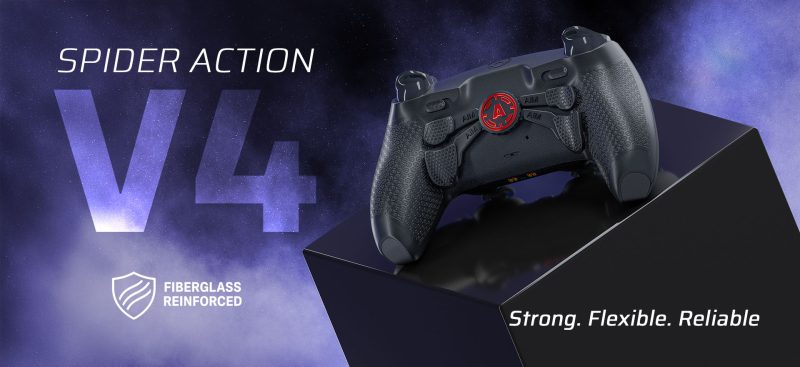
For most players, two paddles are already a big upgrade over a standard playstation 5 controller. They allow you to map essential actions like jump and crouch without removing your thumb from the stick.
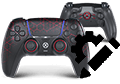
However, a four-paddle setup unlocks a completely different level of control. Instead of prioritizing which actions to keep accessible, you can map everything important and maintain full control in every situation.
If your goal is maximum performance and consistency in gaming, four paddles offer a clear advantage.
Best 4 Paddle Setup for Warzone
A well-balanced four-paddle setup typically includes jump and crouch or slide as the core actions, because movement is the most important factor in fights. These actions allow you to reposition and stay unpredictable without interrupting your aim.
The additional paddles are then used for actions that normally force you to take your thumb off the stick. Reloading, interacting, applying armor plates or switching weapons can all be mapped depending on your personal preference.
The key idea is not one fixed layout, but creating a setup where you can move, aim and perform actions at the same time, without losing control of your crosshair.
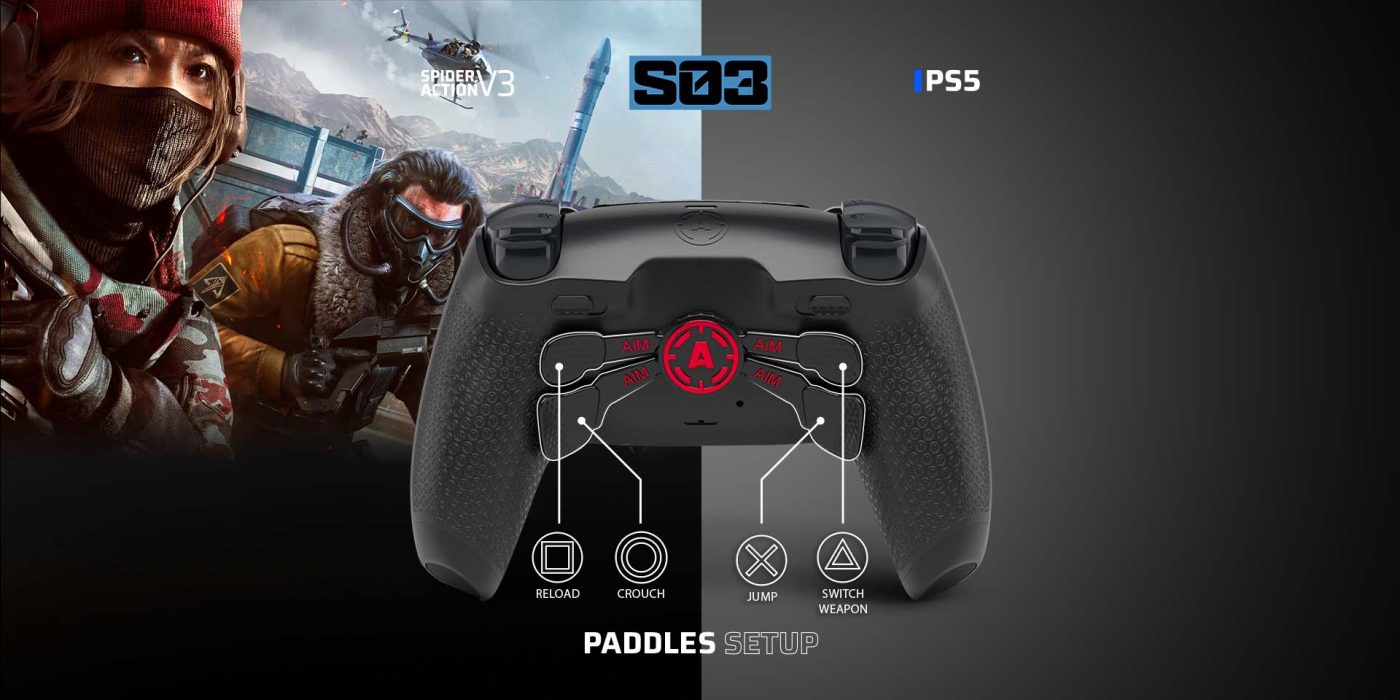
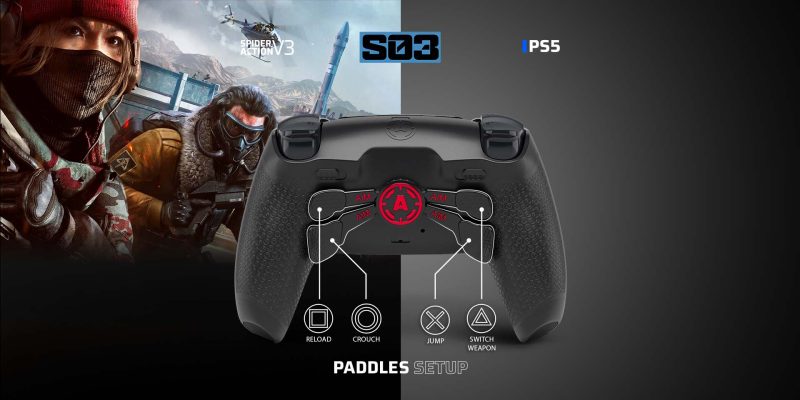
A highly effective setup:
- Top left paddle → △ Switch weapon
- Bottom left paddle → X Jump
- Top right paddle → □ Reload
- Bottom right paddle → O Crouch
This setup allows you to:
- Keep your thumbs on the sticks.
- Aim while moving.
- React without delay.
Why Paddles Improve Performance
The biggest limitation of a standard controller is that you often need to take your thumb off the right stick to perform actions. Even a short moment without control can affect your aim during a fight.
Paddles remove this limitation. They allow you to keep your thumbs on the sticks at all times, which results in smoother tracking, better movement and faster reactions.
The improvement is not always obvious in a single fight, but over time it leads to much more consistent gameplay and better overall gaming experience.
Aggressive vs Tactical Paddle Setup
If your playstyle is aggressive and focused on SMG fights, your paddle setup should prioritize speed and reactivity. Jump and slide remain essential, but having quick access to armor plates or reload can make a big difference during fast engagements.
For a more tactical playstyle, where you rely on positioning and mid-range fights, the setup can focus more on stability. Jump and crouch are still important, but having reload and plates on paddles helps you stay in control during longer engagements.
Some advanced players also combine paddles with claw grip techniques, but paddles alone already remove most limitations.
In both cases, the goal is the same. Reduce unnecessary hand movement and keep your inputs as efficient as possible.
Best Warzone Controller Settings (2026)
Recommended Competitive Settings
There are a few core settings that consistently appear in competitive setups because they improve responsiveness and reduce unnecessary input delays.
Using aim assist with ADS aim assist enabled helps maintain tracking, especially in mid-range fights. A dynamic response curve allows for smoother and more natural aiming, which is particularly useful when transitioning between targets.
Disabling vibration and trigger effects removes distractions and unnecessary feedback, making your inputs feel cleaner and more consistent. Setting ADS transition timing to instant ensures that your aim responds immediately when switching between hip fire and ADS.
These settings create a solid baseline that prioritizes control and responsiveness – often considered the best Warzone settings by competitive players.
These are strong baseline settings used by many competitive players:
- Aim Assist: On
- ADS Aim Assist: On
- Aim Response Curve Type: Dynamic
- ADS Sensitivity Transition Timing: Instant
- Controller Vibration: Off
- Trigger Effect: Off
- Motion Sensor: Off
These settings prioritize:
- Responsiveness.
- Consistency.
- Faster reactions.
Sensitivity for Warzone
Finding the right sensitivity is about balance. Warzone constantly shifts between close-range fights and mid-range tracking, so your settings need to support both.
If your sensitivity is too high, your aim becomes inconsistent and harder to control, especially during recoil management. If it’s too low, you may struggle to react quickly in close-range situations.
A medium sensitivity is usually the best starting point, but always adjust based on your personal preference and playstyle.
Warzone requires balance between:
- Tracking (AR fights).
- Reaction speed (SMG fights).
Best approach:
- Use medium sensitivity.
- Avoid extremes.
- Experiment and adjust.
Too high → inconsistent aim
Too low → slow reactions
Many Warzone players look for the best settings by watching pro gameplay video. Below you can see a real example of how optimized settings improve aim, movement and reaction time in actual matches on youtube:
Deadzones and Stick Precision
Deadzones are one of the most important and often overlooked settings in Warzone. They define how much you need to move your stick before the game registers input.
Lower deadzones make your aim more responsive and allow for finer adjustments. This is especially important for recoil control and tracking moving targets.
The best approach is to set your dead zones as low as possible without causing stick drift. This ensures maximum responsiveness while maintaining stability and improving your best aim.
TMR Sticks Advantage
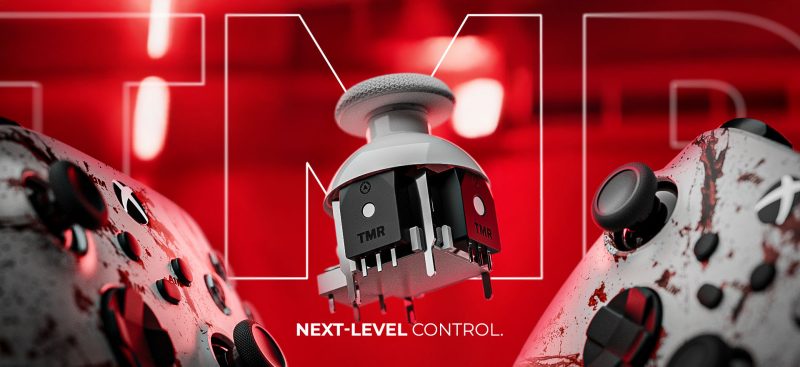
Modern performance controllers introduce technologies such as TMR (Tunnel Magnetoresistance), which use magnetic sensing instead of traditional physical contact.
Because of this, the signal remains more stable over time and is less affected by wear. In practice, this means you can maintain lower dead zones more comfortably and achieve smoother, more consistent aim control.
This directly improves your long-term gaming experience.
Trigger Setup for Faster Reactions
In fast-paced close-range fights, the time between your reaction and your shot is critical.
Digital trigger setups reduce the distance needed to activate the trigger, making your shots feel more immediate. This can improve your firing rhythm and make it easier to react quickly under pressure.
Movement Warzone Settings That Matter
Movement plays a huge role in Warzone, often deciding fights before aim even becomes a factor.
Settings that support faster sprinting, smoother sliding and more responsive movement can significantly improve your positioning and survivability.
Movement is just as important as aim.
Recommended options:
- Tactical Sprint Assist
- Sprint Assist Delay: 0
- Slide / Dive Behavior: Hybrid
- Slide Maintains Sprint: On
- Parachute Auto Deploy: Off
These settings allow:
- Smoother movement.
- Faster reactions.
- Better positioning.
How Everything Comes Together
When your loadout, controller settings and paddle setup are aligned, your gameplay starts to feel noticeably different.
Your movement becomes smoother because you are no longer fighting your controller. Your aim becomes more consistent because your inputs are more precise. Your reactions feel faster because there is less delay between intention and action.
Final Verdict – Best Warzone Setup for 2026
The best Warzone setup is not just about using the strongest loadout or copying what others use. Meta builds change constantly, but consistency comes from how well your entire setup works together in real gameplay.
It’s about creating a system where your loadout matches your playstyle, your controller settings support your aim and your paddle layout removes unnecessary limitations.
When everything works together, your gameplay becomes more controlled, more consistent and ultimately more effective across all gaming scenarios.
FAQ – Warzone Controller Setup
What is the best paddle setup for Warzone?
The most effective setup focuses on jump and crouch or slide, based on your personal preference.
Do paddles improve performance in Warzone?
Yes. They improve control, consistency and overall gaming experience.
How many paddles should I use?
Four paddles offer the most flexibility.
What are the best Warzone controller settings?
Settings that prioritize responsiveness and precision – commonly referred to as best Warzone settings.
Are custom controllers worth it for Warzone?
Yes, especially if you want to maximize your best aim and remove input limitations.
Latest news
Best MW4 Controller Settings for PS5 and PC
Struggling to stay on target, overshooting your shots or taking your thumb off the aiming [...]
Oct
Arc Raiders Frozen Trail Update: Release Date and More
ARC Raiders Frozen Trail: Release Date, New Map & Everything Coming October 8 ARC Raiders [...]
Sep
How to Customize a PS5 Controller: Design & Performance
A PS5 controller does not have to look, feel or perform exactly like the standard [...]
Aug
Marius Board Guide: Native 8000Hz Polling, TMR Sticks, Advanced Calibration & Ultra-Low Latency Performance
Introduction Competitive gaming has changed dramatically over the last decade. Players invest in 240Hz and [...]
Jun
How Long Does It Take to Adapt to Back Paddles? | PS5 Paddle Guide
How Long Does It Take to Adapt to Back Paddles? Most players struggle with back [...]
May
Best Controller Settings for Warzone (2026) + Loadout Guide for Aim, Movement and Consistency
Best Controller Settings for Warzone (2026) + Loadout Guide for Aim, Movement and Consistency Winning [...]
Apr
Best PS5 Controllers in 2026 – Ultimate Ranking of Pro & Custom PS5 Controllers
Best PS5 Controller 2026 – Introduction Are you looking for the best PS5 controller in [...]
Mar
How to Maintain Your Custom Controller to Prevent Drift, Stick Drift and Joystick Issues
How to Maintain Your Custom Controller and Prevent Drift, Stick Drift and Joystick Issues on [...]
Dec