







Introduction
Competitive gaming has changed dramatically over the last decade.
Players invest in 240Hz and 360Hz monitors, low-latency peripherals, optimized PCs, and high-performance internet connections to gain every possible advantage. Yet for years, controllers remained one of the least evolved components in a competitive gaming setup.
Most controllers still rely on technologies originally designed for casual gaming. Even premium controllers often share the same internal architecture, firmware limitations, and analog technologies as their stock counterparts.
Marius Board was created to change that.
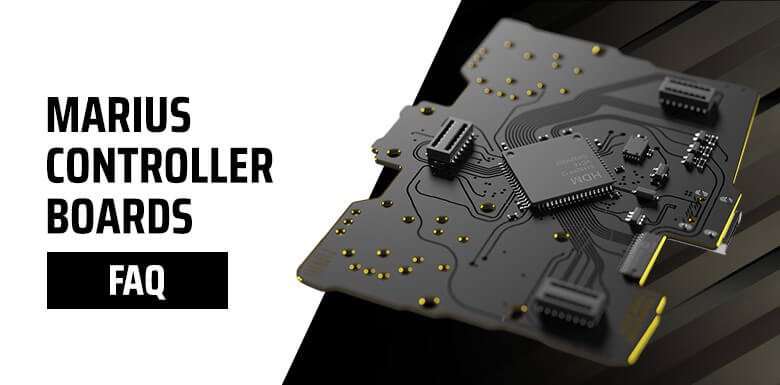
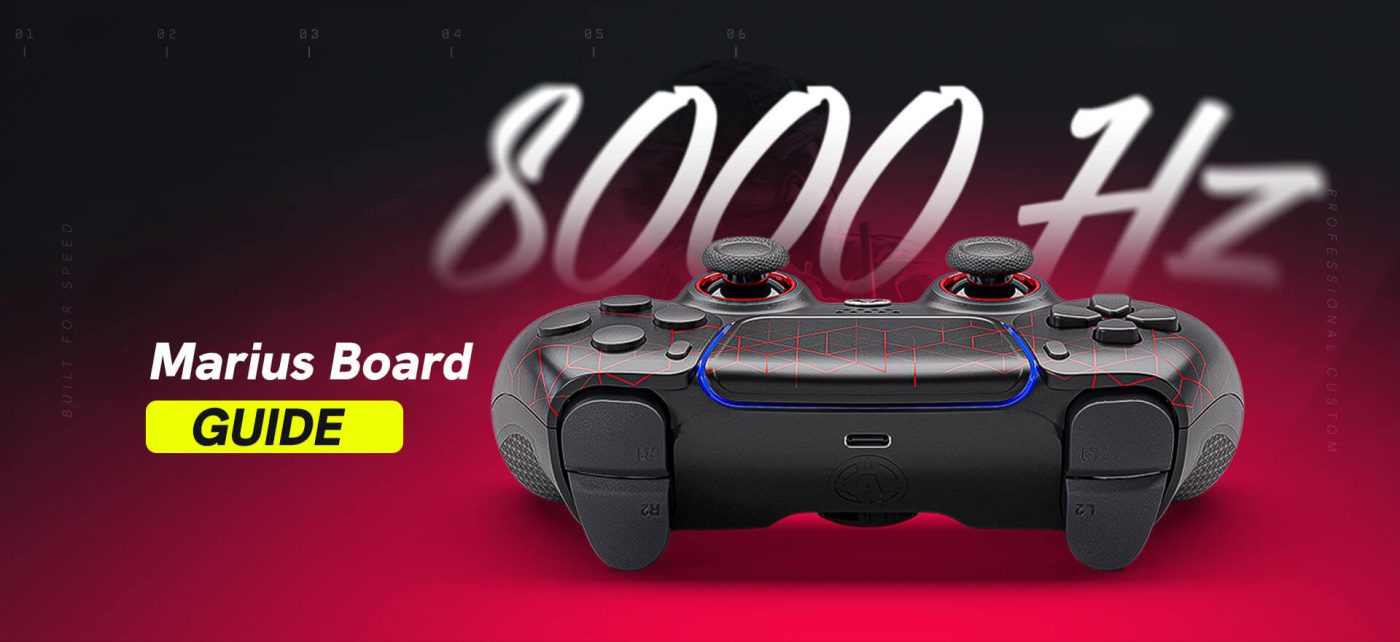
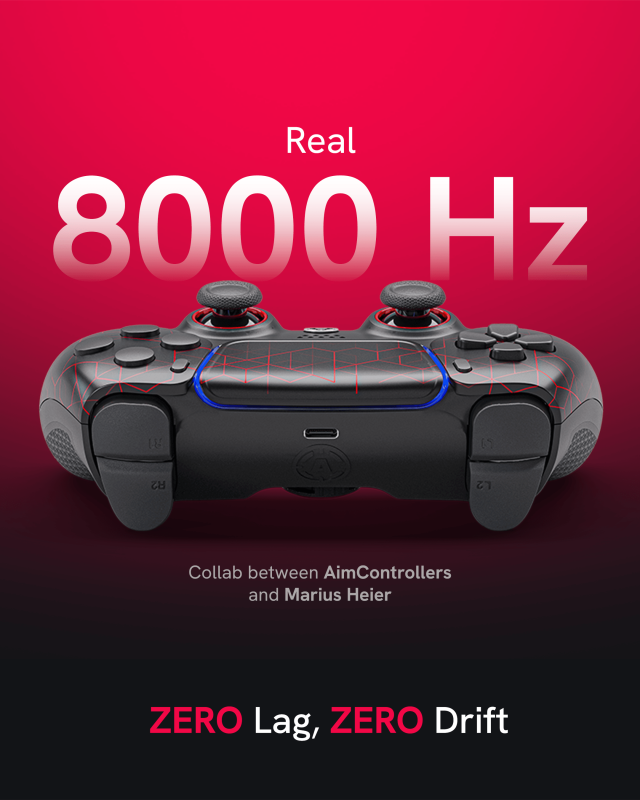
Designed by Marius Heier, Marius Board is a next-generation controller motherboard engineered specifically for competitive PC gaming. Rather than modifying an existing controller platform, Marius Board rethinks how controller inputs are processed, calibrated, and transmitted to the PC.
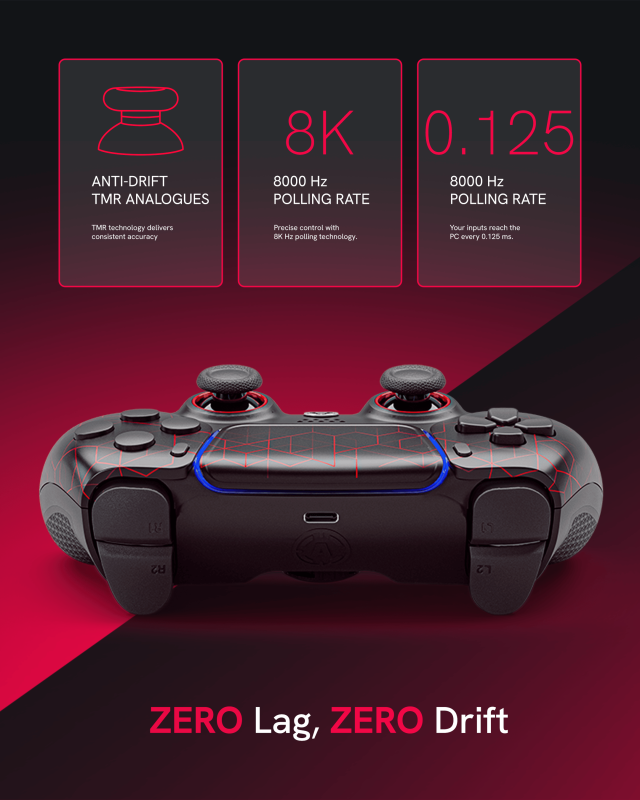
The result is a controller platform capable of native 8k polling, ultra-low latency performance, advanced analog calibration, TMR stick support, and hardware-level customization that goes far beyond what traditional controllers can offer.
Whether you play Call of Duty, Warzone, Fortnite, Apex Legends, Marvel Rivals, or any competitive shooter, understanding how Marius Board works can help explain why it has quickly become one of the most discussed technologies in the controller community.
What Is Marius Board?
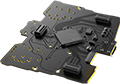
Marius Board is a custom board that replaces the original electronics found inside a controller.
Unlike traditional controller modifications that rely on software tweaks or USB overclocking, Marius Board introduces an entirely new hardware and firmware ecosystem.
The platform was designed around several key objectives:
- Reduce input latency to the lowest possible level
- Increase communication frequency between controller and PC
- Improve analog stick precision
- Provide extensive calibration options
- Eliminate dependency on third-party software
- Deliver a true plug-and-play experience on PC
Instead of forcing existing hardware beyond its original limitations, Marius Board was designed from the ground up to support modern competitive gaming requirements.
Why Buy an AIM MH5 Controller Instead of a Raw Marius Board?
While Marius Board can be purchased as a standalone component, building a complete controller requires technical installation, calibration, and setup.
An AIM MH5 controller removes that complexity.
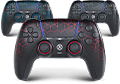
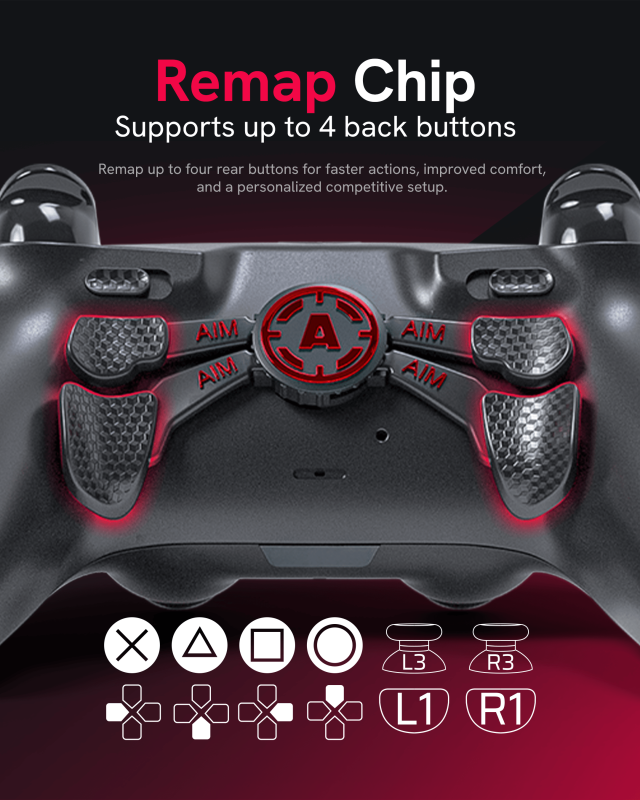
Every controller is professionally assembled, tested, calibrated, and ready to use out of the box. In addition to the Marius MH5 platform itself, AIM Controllers offers premium customization options including TMR and Tension TMR sticks, back paddles, trigger options, grip upgrades, and custom designs.
Instead of building and configuring a controller yourself, you receive a complete competitive PC gaming controller designed to deliver the full performance potential of the Marius platform from day one.
Why Controller Latency Matters
Every action in a game begins with an input.
Moving your stick.
Pulling a trigger.
Pressing a paddle.
The faster your controller can process and transmit that action, the sooner it appears on screen.
Input latency is the total delay between performing an action and the game receiving that command.
Many players focus exclusively on monitor refresh rates or PC performance, but controller latency remains one of the most important factors in overall responsiveness.
In competitive shooters where engagements are often decided within milliseconds, reducing latency can improve:
- First-shot timing
- Tracking consistency
- Target acquisition
- Movement responsiveness
- Close-range reaction speed
This is the primary problem Marius Board was built to solve.
Native 8000Hz Polling Rate Explained
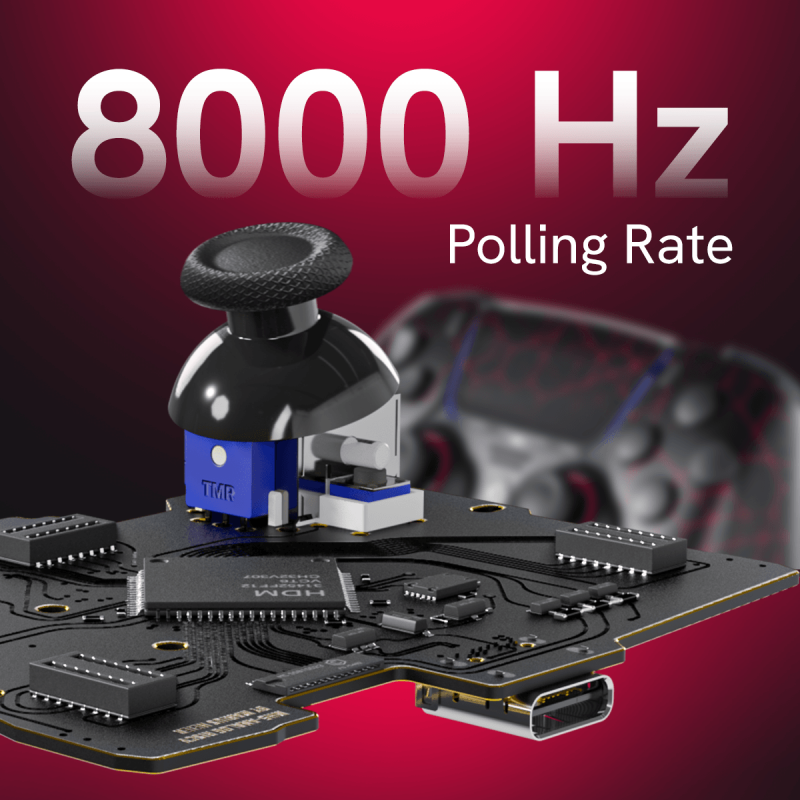
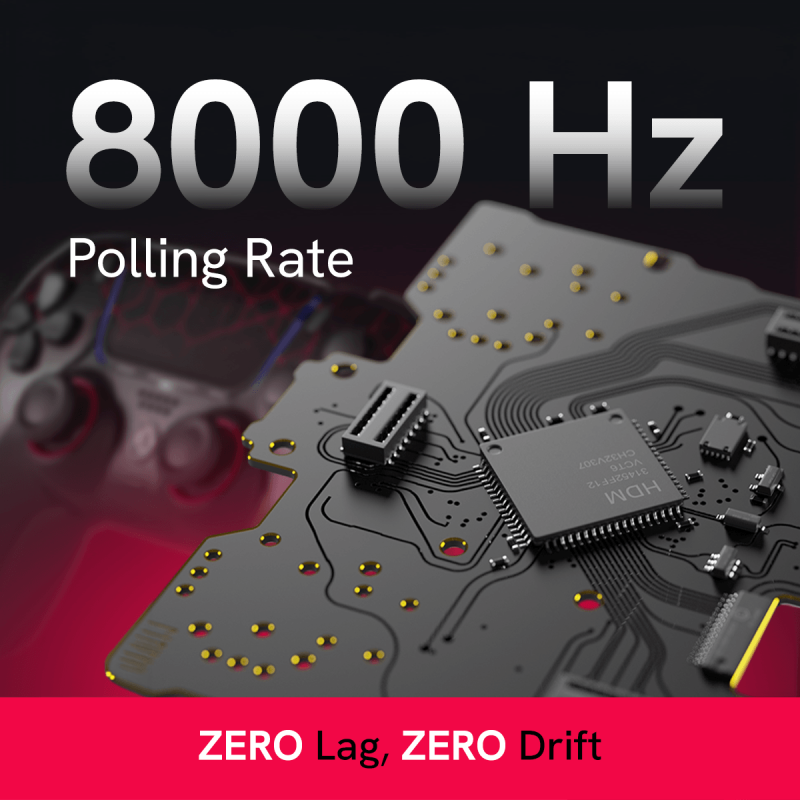
The most talked-about feature of Marius Board is its native 8k polling rate.
Polling rate determines how frequently the controller sends updates to the computer.
| Polling Rate | Update Interval |
| 125Hz | 8ms |
| 250Hz | 4ms |
| 500Hz | 2ms |
| 1000Hz | 1ms |
| 2000Hz | 0.5ms |
| 4000Hz | 0.25ms |
| 8000Hz | 0.125ms |
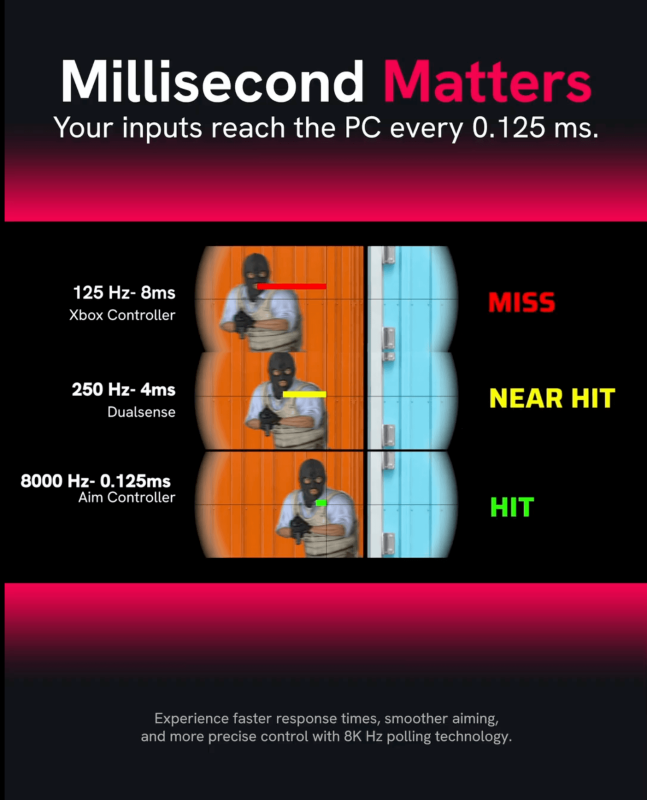
At 8000Hz, the controller communicates with the PC every 0.125 milliseconds.
This means the system receives input information eight times more frequently than a standard 1000Hz controller.
However, polling rate alone does not tell the full story.
A controller can report at 8000Hz while still processing inputs inefficiently internally.
That is why Marius Board focuses not only on communication frequency but also on reducing internal processing delays throughout the entire signal chain.
Native 8000Hz vs Controller Overclocking
For years, competitive controller players relied on USB overclocking software such as HIDUSBF.
While overclocking can increase polling frequency, it does not redesign the controller itself.
The controller continues to process inputs using the same hardware and firmware limitations.
Marius Board takes a fundamentally different approach.
The hardware, firmware, USB communication stack, and calibration systems were all developed around high-frequency operation from the beginning.
Benefits include:
- No HIDUSBF required
- No custom drivers
- No background software
- No Windows registry modifications
- No compatibility concerns after operating system updates
The controller operates at its intended performance level immediately after being connected to the PC.
Why Marius Board Is PC Only
One question appears frequently:
Why doesn’t Marius Board support PlayStation or Xbox?
The answer is simple.
Marius Board was designed specifically for maximum PC performance.
Supporting console ecosystems would require compromises in architecture, compatibility layers, security requirements, and communication protocols.
By focusing exclusively on PC gaming, Marius Board can prioritize:
- Lower latency
- Higher polling rates
- Greater customization
- More advanced calibration features
For competitive PC players, this specialization is actually one of the platform’s biggest advantages.
TMR Technology: The Future of Analog Sticks
Most traditional analog sticks use potentiometers.
Potentiometers measure stick movement through physical contact between components.
Over time, friction causes wear.
Eventually this wear leads to:
- Stick drift
- Reduced precision
- Inconsistent centering
- Degraded performance
Marius Board supports TMR (Tunnel Magnetoresistance) technology.
Instead of relying on physical contact, TMR sensors use magnetic field detection.
Advantages include:
- Increased durability
- Greater precision
- Reduced wear
- Improved consistency
- Enhanced long-term reliability
For competitive players, this means more accurate aiming and a lower likelihood of performance degradation over time.
TMR Stick Options at AIM Controllers
To help players find the setup that best matches their playstyle, AIM Controllers offers two TMR stick options for Marius Board controllers.
Standard TMR Sticks
Standard TMR sticks provide exceptional precision, smooth movement, and the durability benefits of magnetic sensing technology. They are an excellent choice for players looking for a balanced setup suitable for a wide variety of games and sensitivity settings.
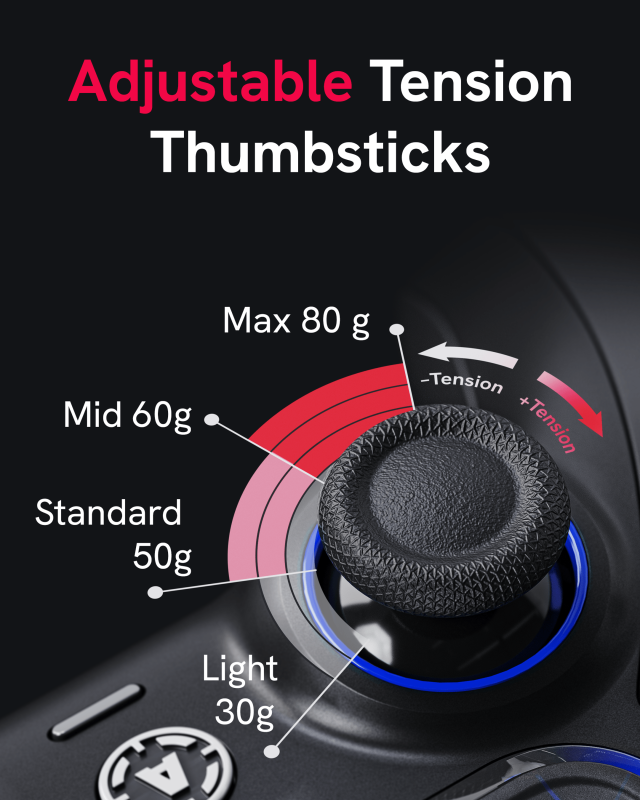
Tension TMR Sticks (30 – 80gf)
For players seeking even greater control, AIM Controllers also offer Tension TMR sticks with adjustable spring resistance ranging from 30gf to 80gf.
Stick tension determines how much force is required to move the analog stick:
- 30gf – 40gf – lighter tension for faster movements and quicker reactions
- 50gf – 60gf – balanced tension suitable for most competitive players
- 70gf – 80gf – increased resistance for enhanced precision and improved micro-adjustments
Higher tension settings are particularly popular among competitive FPS players who want greater control during tracking, recoil management, and fine aiming adjustments.
Combined with Marius Board’s advanced calibration tools, deadzone tuning, and response curve customization, both Standard TMR and Tension TMR options allow players to create a controller setup tailored precisely to their individual preferences and playstyle.
Marius Board vs DualSense Edge
While the DualSense Edge offers customization and premium build quality, Marius Board focuses almost entirely on performance.
| Feature | DualSense Edge | Marius Board |
| Native 8000Hz | No | Yes |
| Hardware Calibration | Limited | Advanced |
| TMR Support | No | Yes |
| PC Optimization | Moderate | Extreme |
| Plug-and-Play 8K | No | Yes |
| Trigger Calibration | Basic | Advanced |
| Circularity Correction | No | Yes |
For competitive PC players, Marius Board provides significantly more performance-focused features.
Marius Board vs SCUF Omega
At first glance, Marius Board and SCUF Omega may appear to target the same audience. Both offer modern controller technology, TMR thumbsticks, advanced customization, and premium gaming performance.
However, the philosophy behind each platform is fundamentally different.
SCUF Omega was designed as a versatile controller for both PlayStation 5 and PC players. Features such as wireless connectivity, Bluetooth support, additional G-Keys, side buttons, and console compatibility make it an excellent all-around controller for gamers who play across multiple platforms.
Marius Board takes a different approach.
Instead of trying to be a controller for everyone, it was engineered specifically for one purpose:
Delivering the highest possible performance for competitive PC gaming.
By focusing exclusively on PC, Marius Board eliminates many of the hardware and software limitations associated with console compatibility.
This allows the platform to prioritize what matters most to competitive players:
- Native 8000Hz Polling Rate
- Ultra-Low Latency Architecture
- Advanced Analog Calibration
- Hardware-Level Response Curve Customization
- Circularity Optimization
- Trigger Calibration
- Quick Recenter Function
- TMR Stick Integration
- Deep Performance Tuning
Performance vs Versatility
SCUF Omega offers impressive versatility.
Players benefit from:
- PlayStation 5 compatibility
- Wireless connectivity
- Bluetooth support
- Additional programmable inputs
- Mobile app integration
For many players, these features are extremely valuable.
However, every additional feature introduces compromises.
Marius Board was designed around a different philosophy.
Instead of prioritizing wireless functionality, console compatibility, or extra buttons, every design decision focuses on reducing latency, improving precision, and maximizing responsiveness.
This is why Marius Board supports native polling rates up to 8000Hz while many traditional controllers remain limited to 1000Hz.
For competitive PC players, this difference can be significant.
Built for Competitive PC Gaming
Modern competitive shooters reward precision more than ever before.
Games such as:
- Call of Duty: Warzone
- Black Ops 6
- Fortnite
- Apex Legends
- Marvel Rivals
all benefit from faster input reporting and more accurate analog performance.
Marius Board was built around these requirements.
Combined with advanced calibration tools and TMR technology, the platform gives players complete control over how their controller behaves.
Everything from deadzones and trigger activation points to response curves and stick circularity can be fine-tuned to match individual preferences.
This level of customization simply goes beyond what most mainstream controllers are designed to offer.
Which Controller Is Better?
If you are looking for a versatile controller that works across PlayStation and PC while offering additional buttons, wireless functionality, and a premium user experience, SCUF Omega is a strong option.
However, if your primary goal is competitive PC gaming and achieving the lowest possible latency, highest polling rate, and deepest level of hardware customization, Marius Board was built specifically for that purpose.
Simply put:
SCUF Omega is designed to be a premium controller.
Marius Board is designed to be a competitive advantage.
Marius Calibration Software & Advanced Controller Customization
One of the most powerful aspects of the Marius ecosystem is the dedicated Marius Calibration Software.
While most controllers rely on factory settings that cannot be modified by the user, Marius Board gives players direct access to advanced hardware-level tuning options through an intuitive calibration tool.
The software allows players to configure, calibrate, and optimize their controller based on their individual preferences and the specific characteristics of their analog sticks and triggers.
Unlike software-based solutions that rely on game settings or third-party applications, changes made through the Marius Calibration Software are stored directly on the controller itself. This means your preferred settings remain active regardless of which PC or game you are using.
Through the Marius Calibration Software, players can access a wide range of advanced settings, including:
- Polling Rate Configuration (up to 8000Hz)
- Analog Stick Calibration
- Response Curve Customization
- Inner Deadzone Adjustment
- Outer Deadzone Adjustment
- Trigger Calibration
- Circularity Optimization
- Quick Recenter Function
- TMR Stick Tuning
This level of customization allows players to create a controller setup tailored specifically to their playstyle.
First-Time Calibration Process
When using a Marius Board controller for the first time, it is recommended to perform an initial calibration.
This process ensures the controller accurately recognizes the full range of motion of the installed analog sticks and triggers.
During calibration, the software guides the user through several simple steps, including:
- Center position detection
- Full analog stick rotation
- Trigger range calibration
- Circularity verification
The entire process takes only a few minutes but can significantly improve precision and consistency.
Because every analog module has slight manufacturing variations, calibration helps ensure the controller performs according to its actual hardware characteristics rather than generic factory assumptions.
Polling Rate Configuration
One of the most popular features of the software is the ability to select the desired polling rate.
Depending on the controller configuration and system setup, players can choose from multiple polling rate options, including:
- 1000Hz
- 2000Hz
- 4000Hz
- 8000Hz
This allows users to balance maximum performance with their individual system requirements.
For competitive PC players, 8000Hz provides the fastest communication rate available on the platform.
Response Curve Customization
Different players prefer different aiming characteristics.
The Marius Calibration Software allows users to adjust how physical stick movement translates into in-game input.
Players can fine-tune response curves to create a setup that feels natural for their preferred sensitivity and game genre.
Linear Response
Provides a direct one-to-one relationship between stick movement and output.
Benefits include:
- Predictable aiming
- Consistent muscle memory
- Preferred by many competitive FPS players
Dynamic Response
Offers additional precision around the center of the stick while increasing acceleration toward the outer range.
Benefits include:
- Improved target tracking
- Better micro-adjustments
- Faster turning speed
Exponential Response
Offers extremely fine control near the center with aggressive acceleration toward the edges.
Benefits include:
- Precision aiming
- Sniping
- High-sensitivity gameplay
Custom Curves
Advanced users can create personalized response profiles tailored to their exact preferences.
Unlike software-based solutions, these adjustments remain stored directly on the controller.
Deadzone Optimization
Deadzones play a critical role in controller responsiveness.
The software allows users to independently adjust both Inner and Outer Deadzones.
Inner Deadzone
Controls how much movement around the center position is ignored.
Too little deadzone may cause unwanted drift, while too much deadzone reduces responsiveness.
Marius Board allows precise deadzone tuning to match the characteristics of individual analog modules, helping eliminate unwanted movement while preserving maximum responsiveness.
Outer Deadzone
Controls how quickly maximum input values are reached.
By adjusting outer deadzones, players can:
- Reach full movement speed sooner
- Improve responsiveness
- Reduce physical stick travel
- Optimize movement mechanics
For games with heavy movement systems, this can create a more responsive overall experience.
Quick Recenter Technology
Over time, analog sticks naturally shift away from their original center position.
Traditional controllers often require a complete recalibration process.
Marius Board includes a Quick Recenter feature that allows players to quickly restore proper centering without repeating the entire calibration procedure.
This helps maintain optimal performance and minimize unwanted drift over time.
For players running extremely low deadzones, Quick Recenter can be one of the most useful maintenance features available.
Trigger Calibration
The Marius Calibration Software also provides extensive trigger tuning options.
Players can customize:
- Trigger Rest Position
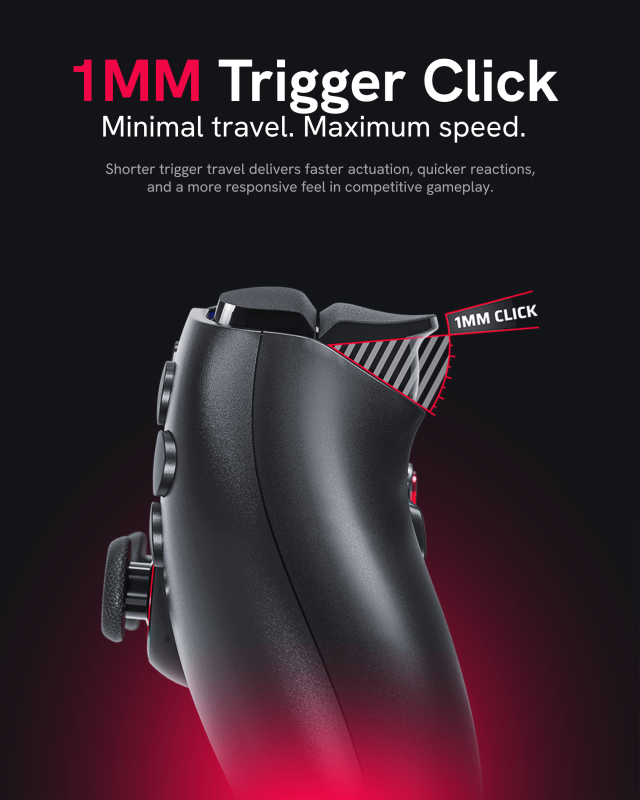
- Trigger Press Position
- Hair Trigger Sensitivity
- Trigger Travel Distance
This flexibility allows users to create anything from ultra-sensitive FPS triggers to longer travel profiles better suited for racing, simulation, or sports games.
The result is a trigger feel tailored specifically to the player’s preferences and game genre.
Circularity Optimization
One of the most advanced tools available within the Marius Calibration Software is Circularity Optimization.
Circularity measures how accurately the analog stick traces a perfect circle.
When moving a stick in a circular motion, many controllers produce:
- Ovals
- Distorted circles
- Uneven movement patterns
Circularity correction improves the relationship between X and Y axis movement, resulting in:
- More accurate aiming
- Better tracking
- Improved movement consistency
- Smoother analog performance
- More predictable stick behavior
The software provides visual feedback during calibration, allowing users to verify and optimize stick performance.
This is a feature rarely discussed outside enthusiast communities but highly valued among advanced players.
Built for Competitive Players
The combination of native 8000Hz polling, advanced calibration tools, TMR stick support, and hardware-level customization makes the Marius Calibration Software an essential part of the overall Marius ecosystem.
Rather than forcing players to adapt to factory settings, Marius Board gives users the tools to tailor the controller to their exact preferences.
For competitive gamers who demand maximum performance, precision, and control, this level of customization represents one of the biggest advantages of the Marius platform.
Best Marius Board Settings for Warzone
Recommended starting point:
- Linear Response Curve
- Minimal Inner Deadzone
- 8000Hz Polling
- Quick Recenter Enabled
- Low Trigger Activation
- Optimized Circularity
These settings provide predictable aiming and maximum responsiveness.
Best Marius Board Settings for Fortnite
Recommended starting point:
- Dynamic Response Curve
- Moderate Outer Deadzone Reduction
- 8000Hz Polling
- Low Trigger Activation
- Precision Calibration
Fortnite players often benefit from a balance between precision aiming and rapid building mechanics.
Features Not Supported by Marius Board
Marius Board was designed with one primary objective: delivering the highest possible performance for competitive PC gaming.
To achieve this, the platform intentionally focuses on low latency, high polling rates, advanced calibration, and hardware-level customization rather than supporting every feature found in traditional console controllers.
As a result, the following features are not supported:
- PlayStation console connectivity
- Xbox console connectivity
- Bluetooth connectivity
- Wireless gameplay
- Macros and scripting functions
- Keybinding functionality
- Rumble and vibration motors
- Touchpad gestures and tracking
- Internal battery operation
- Gyro and motion controls
- Headphone jack functionality
- Reset button functionality
While some players may consider these features important, removing unnecessary hardware and functionality allows Marius Board to focus entirely on performance, responsiveness, and precision.
For competitive PC gamers, this design philosophy helps create a controller platform optimized specifically for low-latency gaming rather than general-purpose use across multiple devices and ecosystems.
Final Verdict
Marius Board represents one of the most significant advancements in controller technology aimed at competitive PC players.
By combining native 8000Hz polling, advanced calibration systems, TMR compatibility, customizable response curves, trigger tuning, circularity correction, and an ultra-low latency architecture, it delivers a level of control that traditional controllers simply cannot match.
What truly separates Marius Board from conventional controllers is its philosophy.
Most controllers are designed to work for everyone.
Marius Board was designed for players who want every possible advantage.
Instead of forcing users to adapt to factory settings, Marius Board allows players to fine-tune nearly every aspect of controller performance. From deadzones and trigger activation points to response curves and stick tension, the platform gives competitive gamers unprecedented control over how their controller feels and performs.
For Warzone players chasing faster reactions, Fortnite players looking for more precise tracking, or competitive FPS players searching for the lowest possible latency, these small adjustments can make a meaningful difference.
Combined with native 8000Hz polling, TMR technology, and dedicated calibration software, Marius Board creates an experience that feels fundamentally different from a standard controller.
Unlike traditional controller motherboards that often rely on generic factory settings, Marius Board was engineered specifically for competitive PC gaming. Players can not only take advantage of native 8000Hz performance, but also adjust lower polling rate options such as 4000Hz, 2000Hz, or 1000Hz when troubleshooting system-specific compatibility issues or optimizing performance for a particular game.
At AIM Controllers, we’ve taken the Marius platform even further by offering TMR options, including our Tension TMR sticks with adjustable resistance from 30gf to 80gf. This allows players to build a controller that matches their exact preferences, whether they prioritize speed, precision, or a balance between the two.
As one of the fastest boards available today, Marius Board combines advanced hardware, firmware, and calibration tools into a complete performance-focused ecosystem built around responsiveness and accuracy.
If you’re looking for a controller that simply works, there are countless options on the market.
If you’re looking for a controller built specifically to maximize performance on PC, Marius Board stands in a category of its own.
Whether you’re competing in ranked matches, grinding tournaments, or simply want to experience what modern controller motherboard technology is truly capable of, Marius Board offers one of the most advanced gaming experiences available today.
Ready to Experience Native 8000Hz?
Discover the next generation of controller performance with AIM Controllers Marius Board.
- Native 8000Hz Polling Rate
- TMR & Tension TMR Sticks
- Advanced Calibration Software
- Ultra-Low Latency Performance
- Deep Hardware-Level Customization
- Built Specifically for Competitive PC Gaming
More updates. Less delay. Maximum control.
Experience what your controller was always meant to be.
FAQ
1. What do I get when choosing an AIM MH5 controller instead of buying the board alone?
When ordering from AIM, you receive a fully built, tested, calibrated, and ready-to-play controller instead of raw parts that require technical installation, soldering experience, and setup knowledge. AIM combines the Marius MH5 performance board with AIM’s own patented and signature modifications, such as paddles, trigger options, grip and custom design, creating a complete competitive PC-only controller.
2. What is the recommended way to connect the controller to my PC?
The controller connects by USB cable only. For best performance, plug it directly into a rear motherboard USB port on your PC, not into a front case port or USB hub. A high-quality data-capable USB cable is required. It does not support Bluetooth or wireless play.
3. Which button option is best for competitive gaming: Analog or Digital?
Digital Buttons use mouse-click style switches that provide faster actuation, a shorter travel distance, and a more responsive feel. They are recommended for competitive players who prioritize speed and precision.
Analog Buttons retain the original controller feel and support pressure-sensitive input in games that utilize it.
For most FPS and competitive players, we recommend Digital Buttons.
4. How can I confirm that my controller is running at the selected polling rate?
Use Marius’ DEEPPOLL tool. Please note that polling rate tools measure how often the PC receives USB reports, not real-world input latency. Small fluctuations around 8000Hz can happen because of Windows, CPU scheduling, USB ports, or system load. https://tools.mariusheier.com
5. What should I do if my controller isn’t reaching the expected polling rate?
First, open the Marius setup page and confirm that the polling rate is saved at 8KHz. Then test a different high-quality USB cable, connect directly to a rear motherboard USB port, avoid USB hubs, and try another USB port. If 8KHz is unstable on your system, try 4KHz or 2KHz. Some PCs, motherboards, USB controllers, or games may not handle 8KHz consistently.
6. Who is the Marius JDM-5X platform designed for?
The JDM-5X is a custom PC-only motherboard designed for DualShock 4-style controllers. It is built for very low latency, high polling rate performance, and advanced stick/trigger calibration. Best use cases: competitive PC gaming, FPS games, low-latency setups, and players who want maximum responsiveness over console features.
7. Which features are not available on the MH5 platform?
This controller does not support PlayStation or Xbox console connectivity, Bluetooth, wireless play, macros, keybinding functions, rumble/vibration, touchpad tracking/gestures, internal battery operation, gyro/motion controls, headphone jack functionality, or reset button functionality.
8. Will my controller be ready to use straight out of the box?
Yes. AIM controllers with the Marius MH5 board are built, tested, and calibrated before shipping. The controller is ready to use on PC out of the box. Advanced users can still adjust calibration, polling rate, stick curves, deadzones, LED settings, and mappings through the Marius setup tools.
9. Which bumper option should I select when configuring my controller?
Choose Digital. Smart Bumpers use mouse-click style micro-switches and function as instant digital (on/off) inputs. Selecting Digital ensures the bumpers operate as intended and provides the fastest possible response with every press.
10. Why does my aim feel inconsistent or jittery while playing?
8KHz polling may be too demanding for your PC, USB controller, motherboard, or the specific game. Try a rear USB port, another cable, another USB port, and close unnecessary background software. If the issue continues, lower the polling rate to 4KHz or 2KHz. You still keep most of the low-latency benefit even below 8KHz.
11. Can I use HIDUSBF with an AIM MH5 controller?
You should not use HIDUSBF to overclock this controller. The Marius board is designed to run high polling rates through its own setup configuration. HIDUSBF can remain installed on the PC, but applying an overclock to the Marius controller or its USB port may reduce performance or cause instability.
12. What should I know about TMR and Hall Effect thumbsticks?
Both Hall Effect and TMR sticks use magnetic sensing instead of traditional carbon-track potentiometers, which helps reduce the risk of stick drift. Hall Effect is older magnetic sensor technology and can be very reliable when well implemented. TMR, or Tunnel Magnetoresistance, is generally considered a newer and more precise magnetic sensing technology, often offering very stable micro-movements and high accuracy.
13. Is any additional software required to use the controller on PC?
No. The controller is designed as a PC-only plug-and-play device. DS4Windows is not required for normal use. Some games may still need Steam Input or in-game controller settings depending on how they handle controllers, but the controller itself does not require DS4Windows.
14. Where can I access setup tools, updates, and controller configuration options?
Use the official Marius setup tools for calibration, remapping, polling rate configuration, stick settings, trigger settings, and firmware updates. The main setup page is Marius Setup & Calibration, and firmware updates are handled through the Marius update page. For polling rate verification, use the DEEPPOLL tool.
Setup & Configuration: https://devsetup.mariusheier.com/
Firmware Updates: https://update.mariusheier.com/
Polling Rate Verification: https://tools.mariusheier.com
These tools allow you to configure your controller, adjust settings, perform calibrations, and install the latest firmware updates.
Latest news
Arc Raiders Frozen Trail Update: Release Date and More
ARC Raiders Frozen Trail: Release Date, New Map & Everything Coming October 8 ARC Raiders [...]
Sep
How to Customize a PS5 Controller: Design & Performance
A PS5 controller does not have to look, feel or perform exactly like the standard [...]
Aug
Marius Board Guide: Native 8000Hz Polling, TMR Sticks, Advanced Calibration & Ultra-Low Latency Performance
Introduction Competitive gaming has changed dramatically over the last decade. Players invest in 240Hz and [...]
Jun
How Long Does It Take to Adapt to Back Paddles? | PS5 Paddle Guide
How Long Does It Take to Adapt to Back Paddles? Most players struggle with back [...]
May
Best Controller Settings for Warzone (2026) + Loadout Guide for Aim, Movement and Consistency
Best Controller Settings for Warzone (2026) + Loadout Guide for Aim, Movement and Consistency Winning [...]
Apr
Best PS5 Controllers in 2026 – Ultimate Ranking of Pro & Custom PS5 Controllers
Best PS5 Controller 2026 – Introduction Are you looking for the best PS5 controller in [...]
Mar
How to Maintain Your Custom Controller to Prevent Drift, Stick Drift and Joystick Issues
How to Maintain Your Custom Controller and Prevent Drift, Stick Drift and Joystick Issues on [...]
Dec
Mastering the Custom Controller Setup for FPS Games
Master Optimising AimController for Competitive FPS Games – FPS Controller Setup Competitive Edge Ranked FPS [...]
Nov